
Turn Your Logo Into a Finished Garment
Adding your logo to workwear is simple — here's exactly how it works.
Step 1: Choose how you want your logo applied
Head to Embroidered Logo for a stitched, durable finish that holds up wash after wash — ideal for polos, jackets, fleeces, and caps. Or choose Printed Logo for a flat, full-colour finish (heat transfer or DTF) that's better suited to detailed designs, gradients, or photographic logos that embroidery can't capture.
Step 2: Pick your placement and quantity
Select where you want your logo — left chest, right chest, cap, large back, or a combination — and set the quantity to match the number of garments you're ordering. Each logo is priced per placement, with automatic savings on larger orders.
Step 3: Do we have your logo on file?
This is the part people usually aren't sure about:
Choosing Embroidered Logo? If we've never stitched your logo before, it needs to be digitised first — converted into a stitch file our embroidery machines can read. Add the Logo Digitising product (a once-off fee) alongside your order, and we'll email you for your artwork after checkout. Once digitised, it's saved on file — every future order skips this step and the fee.
Choosing Printed Logo? If we don't already have a print-ready file for your logo, it needs Artwork Setup — your logo cleaned up or rebuilt as a high-resolution, print-ready file (ideally vector). Add the Artwork Setup product (also a once-off fee), and we'll take care of the rest. Like digitising, this is saved on file for every order after.
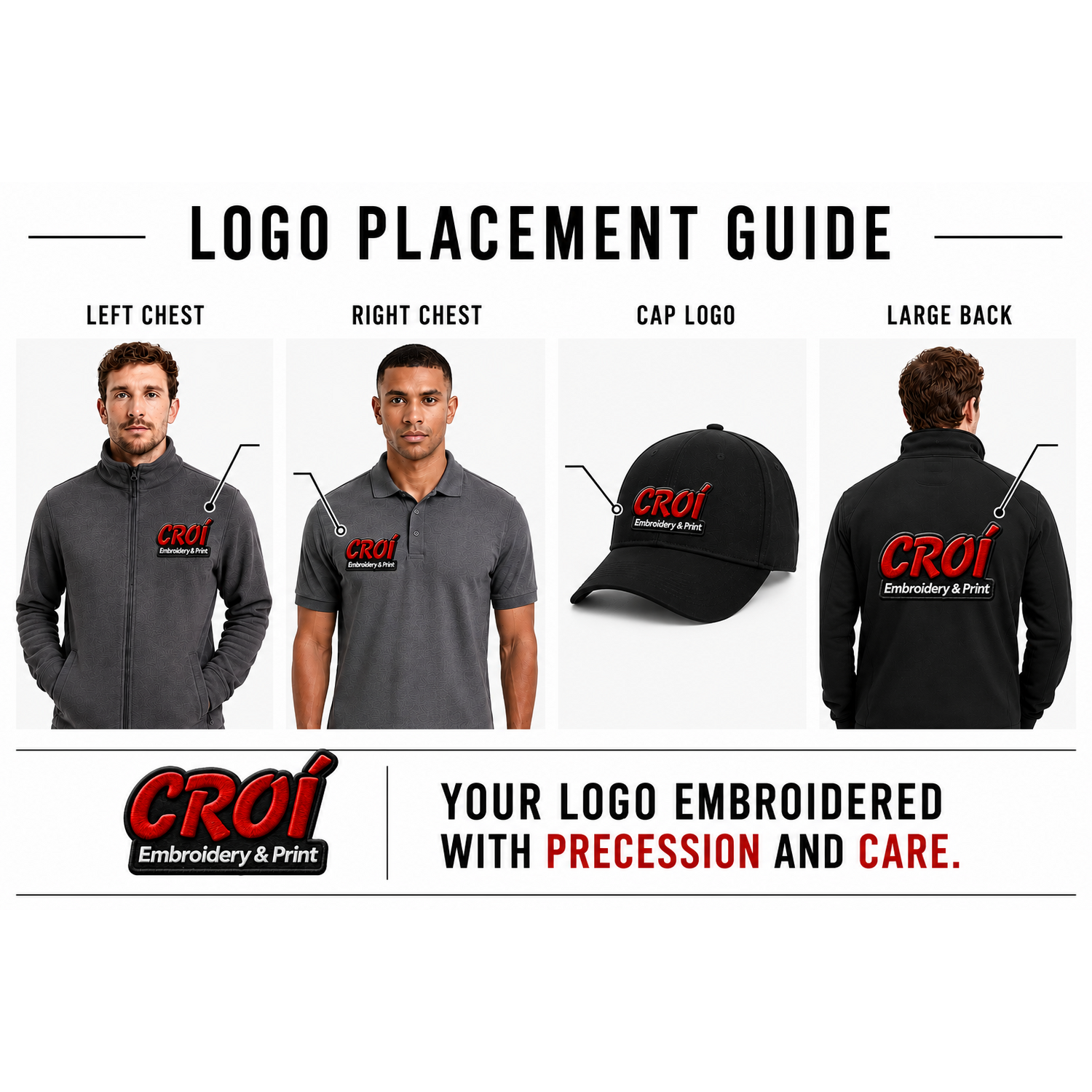
Logo Embroidery
Add your company or personal logo to any garment.
Important: You must add the quantity of logos to match the garments ordered.
Available placements: Left Chest, Right Chest, Large Back, L or R Chest + Large Back (we will email you to confirm the chest location), Cap, Hat, Other Location (we will email you to confirm the exact position).
Don’t have a digitised logo yet? Simply select the Logo Digitising add-on when ordering. This is a once-off fee — we will email you after you place the order to request your artwork, convert it into a high-quality stitch file, and store it on file for all future orders.
Embroidered Logo — Pricing Guide
1–9 items: Standard cost
10–24 items (30% off)
25–49 items (35% off)
50–99 items (40% off)
100+ items (45% off)
Bulk pricing applies automatically at checkout based on the quantity of Embroidered Logo items in your cart — no code needed.
Embroidered Logo — Bulk 50-99
This tier is for orders of 50-99 logos.
Important: Set the quantity to the exact number of logos you need (must be within 50-99 and match the number of garments ordered).
Don’t have your logo digitised yet? Simply add the Logo Digitising add-on when ordering — this is a once-off fee, and we keep it on file so you never have to pay for it again.
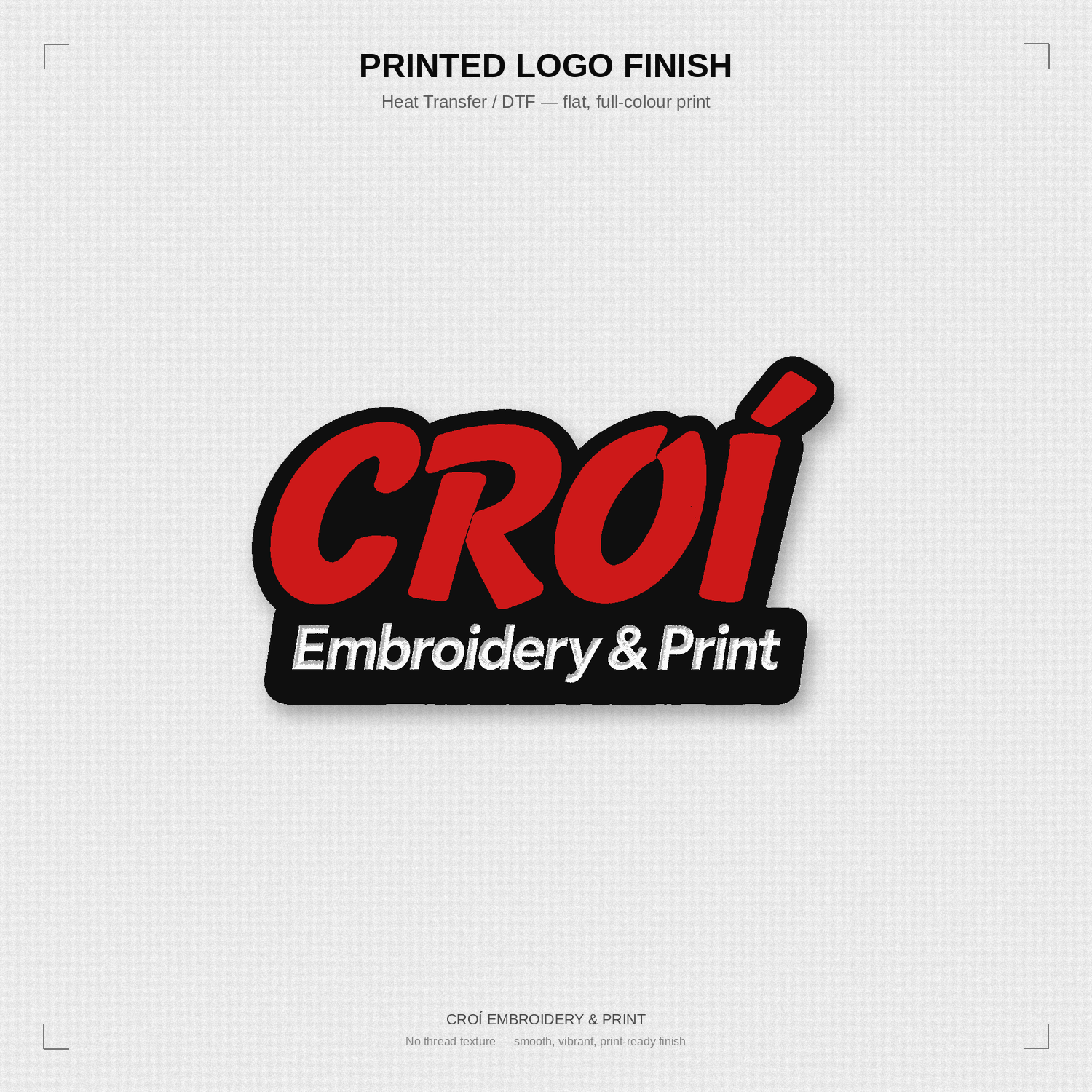
Printed Logo — Bulk 50-99
This tier is for orders of 50-99 logos.
Important: Set the quantity to the exact number of logos you need (must be within 50-99 and match the number of garments ordered).
Don’t have your logo print-ready yet? Simply add the Artwork Setup add-on when ordering — this is a once-off fee, and we keep it on file so you never have to pay for it again.
Logo Print
Add your company or personal logo to any garment.
Important: You must add the quantity of logos to match the garments ordered.
Available placements:
Left Chest
Right Chest
Large Back
L or R Chest + Large Back (we will email you to confirm the chest location)
Other Location (we will email you to confirm the exact position)
Don’t have a print-ready file yet? Simply select the Artwork Setup add-on when ordering. This is a once-off fee — we will email you after you place the order to request your artwork, prepare it into a high-quality print-ready file, and store it on file for all future orders.
Embroidered Logo — Bulk 100+
This tier is for orders of 100+ logos.
Important: Set the quantity to the exact number of logos you need (must be within 100+ and match the number of garments ordered).
Don’t have your logo digitised yet? Simply add the Logo Digitising add-on when ordering — this is a once-off fee, and we keep it on file so you never have to pay for it again.
Printed Logo — Bulk 100+
This tier is for orders of 100+ logos.
Important: Set the quantity to the exact number of logos you need (must be within 100+ and match the number of garments ordered).
Don’t have your logo print-ready yet? Simply add the Artwork Setup add-on when ordering — this is a once-off fee, and we keep it on file so you never have to pay for it again.
Logo Digitising
This is a once-off fee to convert your logo into a high-quality embroidery stitch file.
Only select this if we have never digitised your logo before. Add 1 to your cart per logo design — not per garment.
After you place your order we will email you to request your logo/artwork. Once digitised, we keep it on file so you never have to pay for it again.
Embroidered Logo — Bulk 10-24
This tier is for orders of 10-24 logos.
Important: Set the quantity to the exact number of logos you need (must be within 10-24 and match the number of garments ordered).
Don’t have your logo digitised yet? Simply add the Logo Digitising add-on when ordering — this is a once-off fee, and we keep it on file so you never have to pay for it again.
Printed Logo — Bulk 10-24
This tier is for orders of 10-24 logos.
Important: Set the quantity to the exact number of logos you need (must be within 10-24 and match the number of garments ordered).
Don’t have your logo print-ready yet? Simply add the Artwork Setup add-on when ordering — this is a once-off fee, and we keep it on file so you never have to pay for it again.
Don't have a print-ready file yet? Simply select the "Artwork Setup" add-on when ordering. This is a once-off fee — we will email you after you place the order to request your artwork, prepare it into a high-quality print-ready file, and store it on file for all future orders
Embroidered Logo — Bulk 25-49
This tier is for orders of 25-49 logos.
Important: Set the quantity to the exact number of logos you need (must be within 25-49 and match the number of garments ordered).
Don’t have your logo digitised yet? Simply add the Logo Digitising add-on when ordering — this is a once-off fee, and we keep it on file so you never have to pay for it again.
Printed Logo — Bulk 25-49
This tier is for orders of 25-49 logos.
Important: Set the quantity to the exact number of logos you need (must be within 25-49 and match the number of garments ordered).
Don’t have your logo print-ready yet? Simply add the Artwork Setup add-on when ordering — this is a once-off fee, and we keep it on file so you never have to pay for it again.
Not Sure What You Need? Get a Free Quote
Ordering for a big team, mixing garment types, or just want the numbers confirmed before you buy? Send us your details and we'll get back to you with exact pricing — no obligation.
Tell us:
What garments you're looking for (and roughly how many)
Where you'd like your logo placed
Embroidered or printed
Whether we already have your logo on file
We'll reply with a full breakdown, usually within one business day.
[Get a Free Quote →]